Your games, the Wii U way.
WII-UU is an emulator launcher styled after the Wii U Menu. It finds your games, starts the right emulator, and turns any phone into the GamePad. It supports consoles from the NES to the Wii U and Switch, and from the PS1 to the PS4.
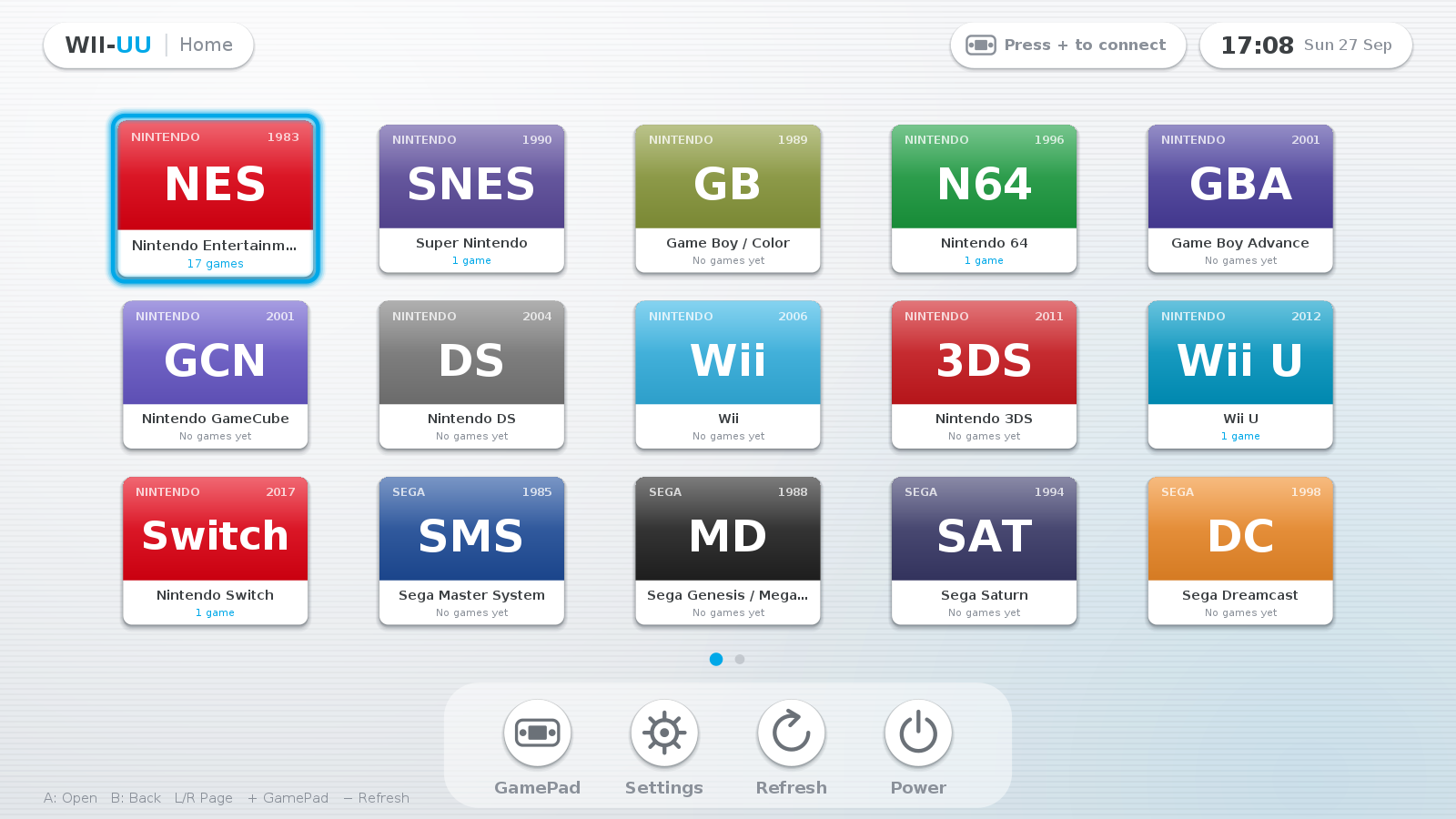
20 consoles, one menu
Drop games into a folder per system and they show up as tiles. Covers are optional; PS3 and PS4 icons are picked up automatically.
What it does
A small Java app with no extra dependencies, drawn by hand to feel like the Wii U Menu.
Wii U style menu
Paged tiles with a gliding cursor, a dock and soft menu sounds. It runs smoothly on a Raspberry Pi.
Phone as GamePad
Scan a QR code and your phone becomes the controller, with sticks, D-pad, ABXY, shoulder buttons and HOME. Up to 4 players.
Emulators installed for you
It downloads official releases for your CPU, or builds the latest source when a project has no build for it. Emulators are set up automatically.
One-button launch
Press A and the matching emulator opens your game. Press HOME on the phone to close it and return to the menu.
Fully configurable
Set the ROM folders, emulator commands and GamePad key mapping in a settings screen, or in a plain properties file.
Runs where you do
Linux, Windows and macOS, on x86-64 or 64-bit ARM. Installers set up shortcuts, ROM folders and the firewall.
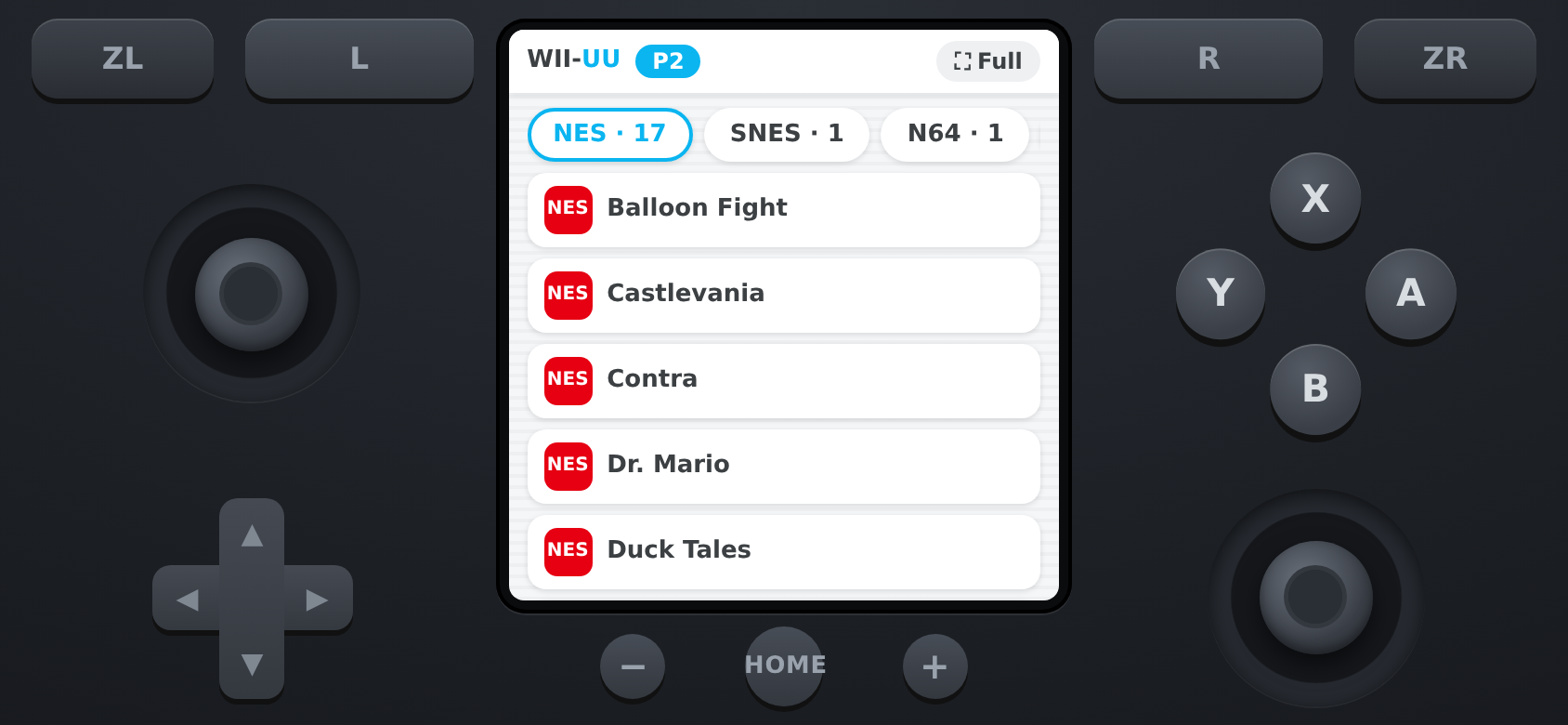
The GamePad is your phone
WII-UU has a built-in web server, so there's no app to install. The phone's screen works like the Wii U GamePad's.
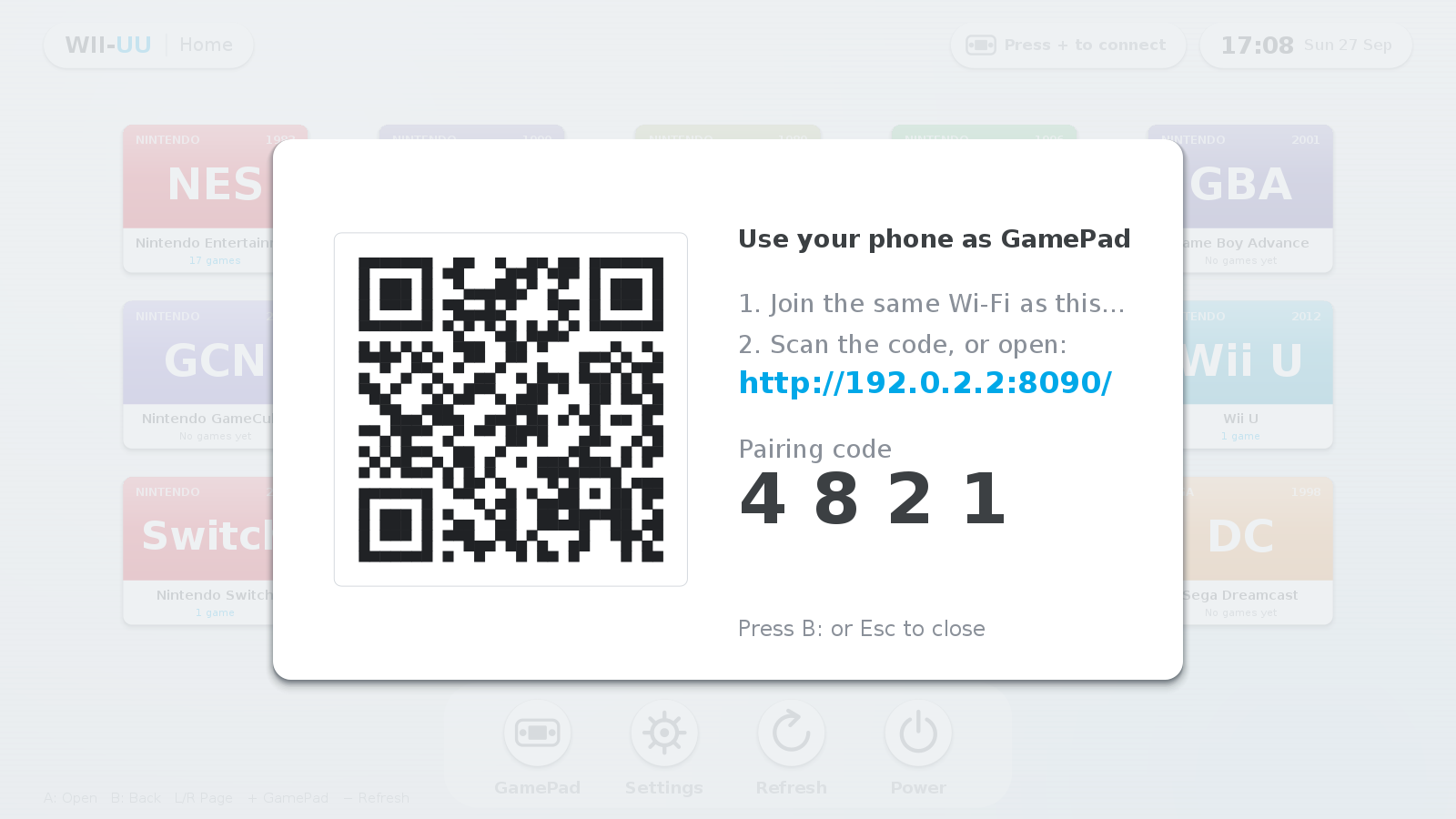
- Press + (or F2) on the TV to show the QR code.
- Scan it with your phone on the same Wi-Fi. The pairing code is filled in for you.
- Browse your library on the phone and tap a game to start it on the TV.
- Press HOME during a game to close it and return to the menu.
Pair in seconds
The QR code on the TV includes a pairing code, so only phones that can see your screen can connect.
Install
You need Java 17 or newer, and the installers offer to set it up. Your ROMs and settings are kept if you uninstall.
# WII-UU only
curl -fsSL https://wiiuu.stoppedwumm.net/get.sh | bash

# WII-UU plus emulators for your CPU (x86-64 or Raspberry Pi 4/5)
curl -fsSL https://wiiuu.stoppedwumm.net/get.sh | bash -s -- --with-emulators
Or download the zip, unzip it and run ./install.sh. Then start WII-UU from the app menu or with wiiuu.
On a Pi, use the 64-bit Raspberry Pi OS.
Download the zip, unzip it and double-click install.bat. It installs Java with winget if needed, adds Start-menu and Desktop shortcuts, and opens the GamePad port in the firewall when run as administrator.
Then set each emulator's path under Settings (F1).
curl -fsSL https://wiiuu.stoppedwumm.net/get.sh | bashThis installs WII-UU.app in ~/Applications. Install emulators from their websites and set their paths under Settings (F1).
Allow Java under Privacy & Security → Accessibility so the GamePad can type into emulators.
Emulators
wiiuu-emulators installs emulators on Linux. It uses the newest official release for your CPU when one exists and builds the latest source otherwise.
Heavy source builds are opt-in with --all.
wiiuu-emulators --list       # what's available / installed on this machine
wiiuu-emulators              # install everything that fits this machine
wiiuu-emulators --update     # update; skips what's already newest
wiiuu-emulators --only ppsspp,duckstation
wiiuu-emulators --nightly    # allow pre-release builds
wiiuu-emulators --source # build everything from source| System | Emulator | How it's installed |
|---|---|---|
| NES | FCEUX | release or source |
| SNES | Snes9x | release or source |
| Game Boy / Color / Advance | mGBA | release or source |
| Nintendo 64 | Mupen64Plus | source |
| Nintendo DS | melonDS | release or source |
| GameCube / Wii | Dolphin | source (heavy) |
| Nintendo 3DS | Azahar | release or source |
| Wii U | Cemu | release or source |
| Switch | Ryujinx | release or source |
| Master System / Genesis / Saturn | Mednafen | source |
| Dreamcast | Flycast | release or source |
| PlayStation | DuckStation (or Mednafen) | release or source |
| PlayStation 2 | PCSX2 | release x86-64 only |
| PSP | PPSSPP | release or source |
| PlayStation 3 | RPCS3 | release or source |
| PlayStation 4 | shadPS4 | release x86-64 only |
FAQ
Does it emulate the consoles itself?
No. WII-UU is the menu and the GamePad. It launches well-known emulators for each system and points them at your games.
My phone can't connect.
Phone and computer must be on the same network, and the GamePad port (8080 by default) must be allowed through the firewall. The installer prints the command for ufw and firewalld, and Windows asks on first start.
Buttons don't reach the emulator.
Set the emulator's keyboard controls to the keys listed under Settings → GamePad Keys. On Linux under Wayland, keys reach X11/XWayland windows. On macOS, allow Java under Accessibility.
Will a Raspberry Pi run everything?
The older consoles run well on a Pi 4/5. GameCube, Wii U, Switch, PS3 and PS4 are too demanding to play well on a Pi, and PS2 and PS4 emulators only run on x86-64.
Where are my settings?
In ~/.wiiuu/config.properties. Games go in ~/WiiUU/roms/<system> by default; you can change this in Settings.